F1 Dashboard
Reading Telemetry at a Glance
Haas Formula 1 team statistics and telemetry dashboard built with React, Vite, GSAP, and Tailwind CSS v4.
 Ian Gabriel Agujitas


Formula 1 engineers read numbers under pressure in fractions of a second. The telemetry display on a pit wall is not designed to look impressive. It is designed to surface the right information before the car reaches the next corner. That functional constraint is what I find genuinely interesting about F1 telemetry design, and it is what I wanted to study by building this.
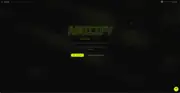
The dashboard centers on Haas team stats: split times, sector status, speed data. I traced the layout decisions back to the pit wall model. Monospace fonts prevent layout shifts when numbers update, which matters because a digit changing width mid-render breaks the eye's ability to track the value. The high-contrast dark theme is not an aesthetic preference here. It is the condition those monitors actually operate in. I wanted every visual choice to have a functional justification.
GSAP choreographs the loading states for each statistics panel. Rather than having everything appear at once, the panels sequence in a controlled cascade that communicates system readiness before the data lands. It is a small thing, but it is the difference between a dashboard that feels like it is thinking and one that feels like it crashed and recovered.
Tailwind CSS v4 handles the grid system. React and Vite give the application fast hot reloads during development and a small production bundle. The layouts scale from mobile displays up to the wider formats that would actually make sense for a pit wall context.
This is a design study, not a live integration. But building for real-use conditions, even in a fictional deployment, produced better layout decisions than building for aesthetics alone. That was the lesson I was after.